This guide contains affiliate links. If you book through them, we may earn a commission at no extra cost to you. Read our disclosure.
Short answer
Buy an eSIM for Phuket online before you fly, install it from home, and the moment you land you’re connected — no counter, no queue, no fumbling with a tiny SIM tray tool at the airport. If your phone doesn’t support eSIM, a physical SIM from an airport counter on arrival is the backup, and a perfectly good one.
In this guide (click to expand)
In this guide

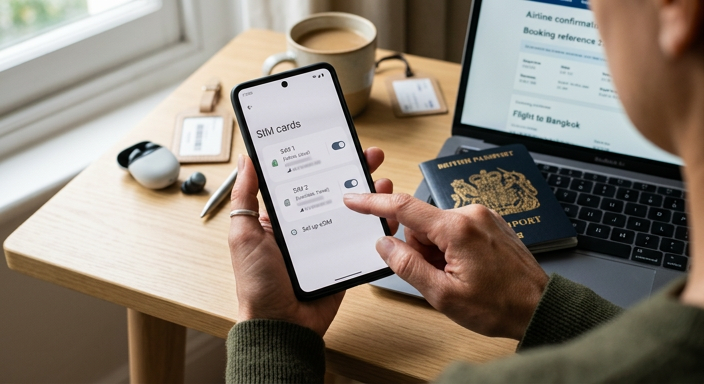
How to buy an eSIM for Phuket and set it up
- Search “Thailand eSIM” in the Trip.com app or site, and pick a data amount and validity length that matches your trip (see below for how much you actually need).
- Pay — do this with real Wi-Fi at home, not airport Wi-Fi, in case anything needs re-sending.
- Depending on your phone, you’ll either install the eSIM straight from your Trip.com order (newer phones support a direct in-app install) or scan a QR code under Add eSIM in your phone’s mobile settings. When exactly the plan’s validity starts — on installation or on first connection in Thailand — varies by provider, so check your specific product’s terms rather than assuming.
- After landing, go into your phone’s settings and, if your eSIM provider requires it, turn on data roaming for the new eSIM line specifically — not your home SIM. Not every local Thailand eSIM needs roaming switched on at all, since some are provisioned to work automatically once installed; check your product’s instructions. Either way, if you do turn on roaming, turn it on for the Thailand line only — doing it for the wrong line either does nothing or runs up charges on your home plan instead.
- Select the Thailand eSIM as your active data line, and you’re online.
Check compatibility before you buy: dial *#06# on your phone. If an EID number shows up alongside the IMEI, your phone supports eSIM. It also needs to be carrier-unlocked.
If it’s installed but the internet isn’t working
Before assuming something’s wrong with the eSIM itself, check these in order: data roaming is switched on for the eSIM line specifically (not your home line); the eSIM is set as the active line for cellular data, not just installed; and airplane mode is off. If all of that’s right and it still isn’t working, restarting the phone resolves it more often than you’d expect — do that before contacting support.
Will I still get my bank’s SMS codes on my home number?
In most cases, yes — if your phone supports dual SIM (which almost all recent iPhones and many Android phones do), your physical home SIM keeps handling calls and texts, including one-time codes from your bank, while the eSIM takes over data. But this isn’t a guarantee: it depends on your home operator’s own roaming agreements and your bank’s SMS setup, not just your phone. If receiving those codes abroad matters to you, check with your home operator before you fly rather than assuming.
How much data to buy
- Maps, messaging, social media, light photo uploads: 1–3GB per day covers most people comfortably.
- Video calls home, music/podcast streaming: 3–5GB per day.
- Working remotely, hotspotting a laptop, heavy video: 5GB+ per day, or an unlimited plan.
As a rough guide for picking the right eSIM for Phuket by plan length: a short weekend trip usually fits a 7-day plan, a typical one-to-two-week holiday fits better on a 14-day plan if one’s offered (otherwise round up to the next option), and anything close to a month is where a 30-day unlimited-style plan tends to work out cheaper than stacking shorter ones.
Coverage in Phuket
Thailand’s main networks are AIS and True (which now also sells plans under the dtac brand, following True and dtac’s 2023 merger — “NT” is a separate, state-owned operator, not another name for dtac). Any eSIM for Phuket you buy runs on one of these two networks.
Both AIS and True have solid coverage across Phuket’s main tourist areas and most of the island; signal is naturally weaker in remote hillside spots and between islands on a boat trip, which is true of any network, not a reason to pick one brand over the other. If your hotel is somewhere genuinely out of the way, it’s worth checking a coverage map for your specific operator rather than assuming — no single network is uniformly “best” for every address on the island.
Either way, your eSIM for Phuket will get 5G in the main tourist and town areas; a solid 4G connection, which is plenty for maps, messaging and video calls, covers the rest.

If you’d rather buy a physical SIM on arrival
Good for
Anyone who wants an eSIM for Phuket working the moment they land, without an airport queue
Skip the eSIM if
Your phone doesn’t support it, or you’d rather have a local number for calls — a physical SIM covers both
If you’d rather skip an eSIM for Phuket entirely, Phuket International Airport (HKT) has operator counters in the arrivals hall. Staffing and hours can vary by flight and time of day, so treat this as the normal, reliable option rather than something guaranteed for every single arrival — if a counter happens to be unstaffed when you land, the same operators have full-service shops in town (Central Festival Phuket, for one) that can set you up, including eSIM installation if you change your mind. You’ll need your passport; no Thai ID or visa paperwork is required for a prepaid tourist SIM.
7-Eleven is mainly useful for topping up a SIM you already have — it’s not a reliable place to buy a new tourist SIM package, though exact stock varies by branch.
A few practical notes for your eSIM for Phuket
- Install the carrier’s app for your eSIM for Phuket to check your balance and top up without hunting for a shop.
- Keep your eSIM for Phuket’s data on, since LINE is the messaging app Thailand runs on — hotels, drivers and tour operators often prefer it to WhatsApp for quick questions.
- Keep an eye on your eSIM for Phuket’s expiry date if your trip runs past 30 days; Thai prepaid lines can deactivate if not topped up in time.
- Pick a regional plan over a worldwide one when your eSIM for Phuket provider offers both — a Thailand- or Southeast-Asia-only plan is usually cheaper per GB than a generic worldwide eSIM with the same data amount.
- Leave your physical SIM in the tray even after installing the eSIM. Most phones let you switch it off in software rather than removing it, so you’ve got an instant fallback if the eSIM profile ever has an issue.
Once you’re connected, the next thing to sort is where you’re staying.
While you’re at it, a few popular Phuket excursions are worth booking ahead too.
Related Phuket guides
- Phuket Travel Checklist
- Getting Around Phuket
- Phuket Packing List
- Thailand Visa and Entry Requirements for Phuket
FAQ
Can I use my eSIM for Phuket and a physical SIM at the same time?
Yes, if your phone supports dual SIM — keep your home SIM active for calls/texts and the Thailand eSIM for data.
Will an eSIM work for the whole island, including day trips to Phi Phi or Krabi?
Your eSIM for Phuket works anywhere on these national networks, not just in Phuket — that part is guaranteed. Actual signal is a separate question: Krabi and the mainland are normally fine, but on a boat trip to Phi Phi or between islands, coverage can drop out over open water regardless of which network or eSIM you’re on. Don’t count on a strong signal mid-crossing.
Is free hotel or café Wi-Fi enough instead?
It covers a lot of casual use, but it’s patchy for maps on the move and ride-hailing apps — most travelers still want mobile data as a backup even if they rely mainly on Wi-Fi.